
Expert Paths
Vis Com 2- Post 7
Web Design
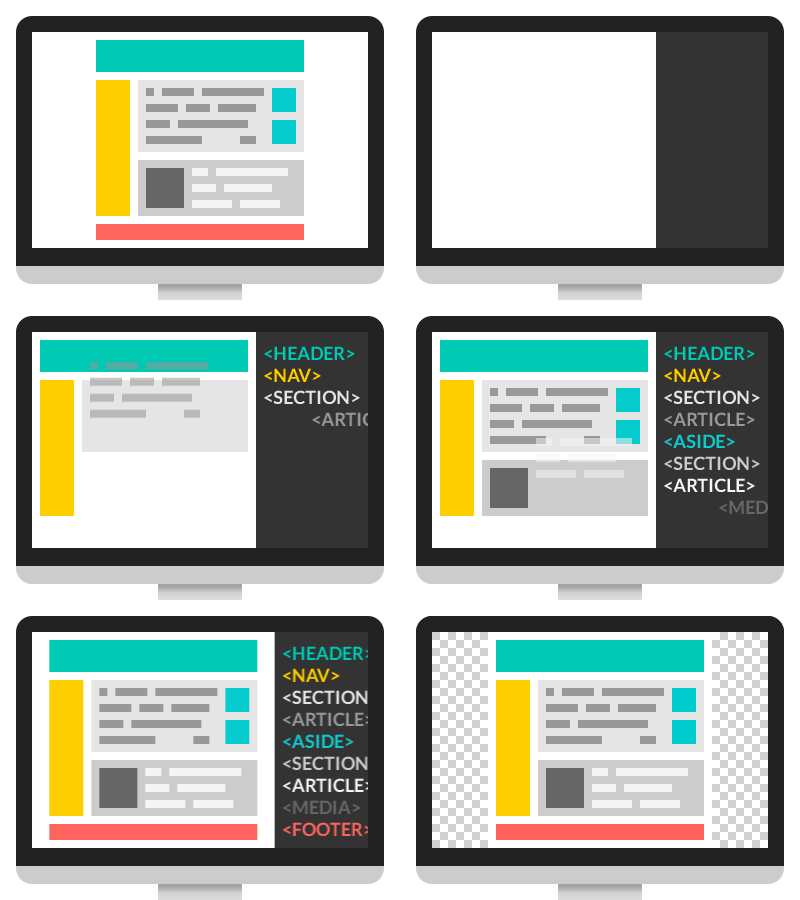
Designing a website is harder than I thought, well the actual process of it. Making a website is just like any other design work, you have to know your audience, what content you’ll need there, how it’s going to read and most importantly how it’s going to look. Gathering information about the clients project/business is key to make a website work.

Wireframes are the skeleton of a website, they give the website unique shape, but composition is KEY, we need things to make sense and feel like they go together.
After you have the wireframes all figured out, you can move on to the next phase. which is mock ups! This is my favorite part, you can stylize it and play with different ideas

When working on a website, it isn’t just for desktops but you have to keep in mind that people might check out the website on an iPad or a phone so there too, the designer has to figure out how all the content will look on different devices.
Now coding, the hardest thing ever. It is complicated, the codes control the appearance of the website and if there is even the smaller mistake, nothing will work the way is supposed it.
There are also different types of web designs: brochure, portfolio, events, blogs, basically anything. Not as complicated as a website, but they do have their own challenges, some are easier than others. With portfolios, you can have everything in one, with brochures you might want to different have a few screen for different information.

When I read this chapter and got to the part of coding, I really not enjoyed it at all, because when I got to the animate cc part, it reminded of the hours I spent trying to animate a cartoon for a class and it was all with code and it took hours to get it right, it was a challenge, but knowing how to important it is, I would probably get back to it and practice more.
Now, with apps I think is a little “easier”, I had to make a full functioning “mock up” with both XD and InVision, I wasn’t “hard”, but it wasn’t easy, you have to learn how to work the programs and your screen and movements of them have to make sense. It all has to come together at the end, like everything in design. Everything has to make sense and with apps and websites or any websites, they have to be easy to navigate.
Outside Source: A Comprehensive Guide To Mobile App Design
https://www.smashingmagazine.com/2018/02/comprehensive-guide-to-mobile-app-design/
This guide is basically a brief summary on what the books mentioned, it has a little more details, but mostly same content.
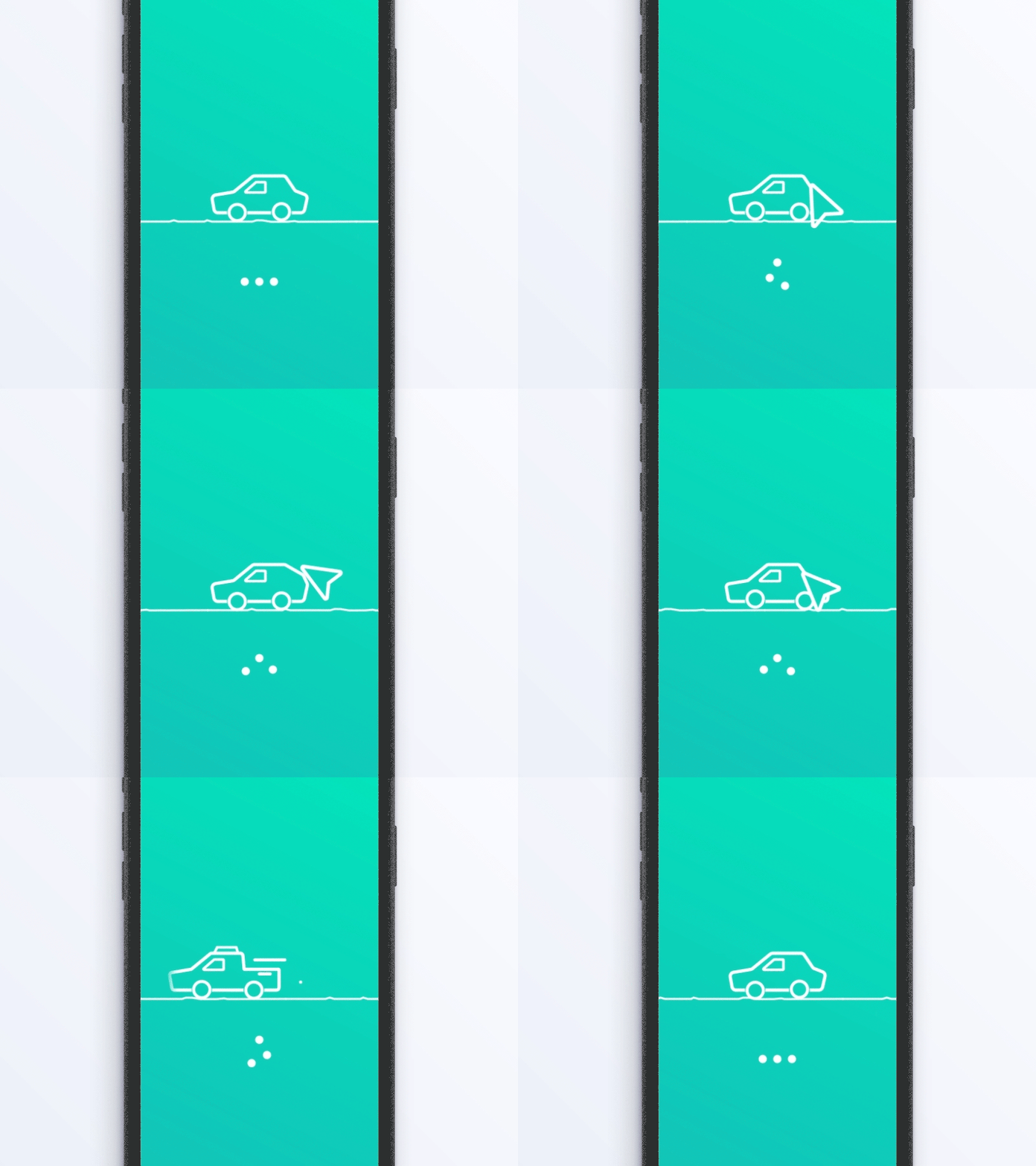
When working on an app, cluttering is an issue so keeping things simple and organized. Also using similar screens, is very useful, people are already familiar with the way they function. Making navigation simple for the user is very important so they can always come back. Having responsive apps is important, you don’t want it to be slow, that creates issues/frustrations, but adding a visual distraction can be helpful in cases when the screen takes a seconds to load


Vis Com 2- Post 6
Print Production and Presentations
I believe this chapter to be the most eye opening one.
When working on an any design I just work on it, I never think of the costs of any of it. I do think of the type of paper I would like to use, but I never think of how much everything will be or how expensive it can get when you want to add little details to the work, for example


these are different types of paper with different weights and finishes, the heavier and the more detailed it has the more expensive it gets. There is also impressions and I always wanted to do, but it gets really expensive and you have to get large quantities, not only a few prints.
When printing in large quantities, you have to make sure the colors are right and that you’re working on the right format (CYMK for print) and also working with Pantone colors (PMS) helps if in any case you have to go to different printers, that way you can get the colors right. With PMS you consists of; solids, process, color bridge, there is also coated and uncoated.


Like I mentioned in my last blog, Pantone coated has a C and followed by a number. Colors can be matched by printing on coated paper (glassy). For Uncoated is the same thing, but instead of a C it can be identified by an U and the number and I used on matte surfaces.
Outside Sources: 5 things graphic designers need to know to design for print
https://rareformnewmedia.com/-5-things-graphic-designers-need-to-know-to-design-for-print

The first I learned from this article is TRUE BLACK! like the article mentioned, it is a default and the default isn’t a true black and this can cause problems when you’re printing large amounts of whatever design it is for a client.
DPI

DPI measures the resolution for printers. This is used for publishing and design. As you can see the higher the DPI the clearer a picture gets.
Different printing formats
PDF: it is preferred for most files
EPS: is for large signs/banners
JPG: for images, nor really for prints. For small files and website or emails
TIF: This can be used for higher resolution images
Vis Com 2- Post 5
Tools and Technology
The different tools and technology we have our disposal is amazing. We have photography, photoshop, InDesign, Illustrator, and other tools that helps us with our work.
With photography we have different categories: Food photography, landscape, portrait, and product photography just to mention a few.


For example food photography consists of meticulous work; lighting, props, and styling it. Food requires a lot of attention and the longer it takes the less appetizing the food it will look, so you have to be quick, but pay a lot of attention to the little details.
For the other tools we have are, the adobe tools.
The programs we use everyday; indesign, illustrator, and photoshop


Illustrator can be used for typography, there it can be manipulated since it is vector based, “These programs use mathematic equations and geometric primitives (points, lines, and shapes) to create art that is clean, camera ready, and can be scaled infinitely, without any loss of quality or fidelity”.
Indesign on the other hand is very useful for compositions, it helps create brochures, magazines, news papers, books, etc.

And there is also photoshop, which I really don’t use and I should start using it more. I am more of an InDesign and Illustrator person, to be honest.


With photoshop you can basically do everything, literally everything you want. This program is pixel based (RBG) and they can be modify (individually or as a group).
And for last there is animate and after effects. I have used animate and I really hated it, because I had to animate using code and it TOOK ME FOREVER TO ANIMATE A FEW SECONDS, but the satisfaction you get when you see your little doodles moving is very satisfying. For after effects, I have never used it in my life, but from what I read is that it is both vector and pixel based so you can import anything from photoshop, illustrator and animate.


Outside Source: 7 Fun Tools and Tricks in Adobe Illustrator
https://design.tutsplus.com/articles/7-fun-tools-and-tricks-in-adobe-illustrator–cms-28332
I’ve never used the “Extreme Appearance Panel”, but pushing the limits of the the tools that illustrator seems like a lot of fun, I know what I’ll be doing this summer and hopefully I come up with something great.
13 Amazing Special Effects Tutorials for After Effects
Since I have never used After effects, I did some research on the things I can do and how to do them.
My favorite one so far is making a cartoon! I really would like to make one, the book mentioned it briefly, after effect isn’t a program that I think it is “necessary” for me right now, but learning how to use most of the adobe program I believe is key, but first I’ll have to practice more in photoshop, I mean I know the basics of it but I haven’t played with it as much.
Vis com 2- Post 4
Fundamental of Color
Color Terminology: Color isn’t just color. Color can be divided into: Primary, Secondary, and Tertiary. Also into hues, tone, and saturation.

Primary colors: Red, blue and yellow.
Secondary colors: A combination of primary colors so the results are: orange, purple and green
Tertiary colors: are the colors in between so for example: yellow orange, red orange, blue purple, blue green etc.
Understanding hue, tone and saturation is important. Color in design is key and knowing how to play with them makes a design great. The most interesting part of this chapter was the “color association”; how the colors have their own language. Colors such as red, yellow and orange are associated with warmth/ excitement / health. Other colors like blue and green are cool colors/ makes people feel calmness/ safety/ and sometimes depression. There is psychology behind color and how we interpret them. Another thing that was very insightful and makes sense now is that “muted colors” suggest elegance and makes the product go higher in price.
CMYK (Additive color synthesis) and RGB (Subtractive color synthesis). RGB is used for web design and CMYK is used for print design. Getting the those formats right is important, if not you might not get the desired colors and for a more consistent and to be 100% sure, there is Pantone colors.
Pantone colors: it is a standardized color matching system. These colors can be identify by a number.
Outside Source: The Psychology of Color in Graphic Design
Going more in-depth with color and psychology, which I found to be really interesting by the way. This article talks about emotion and how it draws in. Culture and experience is also key and different from each human. For example:
Red in Western Culture: is color of passion, but it also has some negative connotations such as danger and Communism.


Asian/Eastern Culture: it means happiness and celebration (new year)/luck. In India it represents purity and in Japan it represents danger and anger.
Color Contrast was another interesting topic and it isn’t about 2 colors. (black or white). Here the only thing is that you don’t want the colors to fight each other, but instead you want harmony.

This picture I found is a good guide, but also knowing the color wheel is helpful to make these type of decisions on what goes together. Contrast attract us, it catches our eye. Contrast isn’t just about colors though, it can be through text and shapes as well.
Vis Com 2-Post 3
Fundamental of Typography

What I learned from this chapter were the different types of fonts: Serif and Sans Serif and also about Humanist Old-style, Transitional, Modern, Egyptian and Slab Serif (all these are serif, which when I took my first graphic design class, we were taught that the easiest way to remember the difference between is that serif fonts have feet and sans serif don’t). Additional Sans Serif include Humanist, Anonymous, and Geometric Sans Serif .
The other thing I liked about reading this chapter is how they talk about the different fonts and their use. Most of the time people don’t really thinking choosing the right font is important and they just thinking of them as letters, but they have a very important job when it comes to the design.
Another key topic was emphasis and hierarchy
Hierarchy: spaces, weight, color, and form.
Knowing how to play with those elements will help differentiate what is important on a design


Outside source:
20 Typography Rules Every Designer Should Know
https://creativemarket.com/blog/typography-rules
The outside reading mentioned similar things as the book, but this source mentioned limiting fonts and as I taught, the best option (sometimes) is just to stick with family fonts. It makes things easier and coherent when one uses more than one font, but this doesn’t mean mean you can’t mix fonts, it works as long as they make sense together. Another thing is to use the grid, it really helps with organizing the type and makes it cohesive. Measuring is used to well measure the width in between the text. The most interesting to me, while reading this post was that they mentioned font palette; choosing the right color is key so using color theory is very important and leads to having the audience feel a certain way (whatever the designer wants them to feel)

Vis Com 2-Post 1
Research and Concepts
What I learned from this chapter were the different processes and how everything comes together.
One of the first steps to creative anything is research; this includes basically reading multiple sources about the thing you want to make so having and idea of who this project is for, having a demographic and just breaking it down to make things easier.
Collecting ideas and sketches/writings leads to inspiration and also helps you find your style/voice.
At first I always tended to skip this part, because I liked to start working right away so sketching wasn’t really part of my process.
Another concept was linear/lateral thinking.
This concluded brainstorming and again, breaking down ideas and finding new approaches and exploring new ways of finds connection between the work and the concept you’re working on.
For the other principles; visualizing ideas, exploring drawings, markets/audience/ and concept. I tend to do the markets/audience/ and concept first then draw/sketch, but I don’t really spend a lot of time on it and visualizing ideas is another one that I done really spend my time and I thought it was funny how the book pointed that out.
With this chapter I learned that creating any design, it is a big process, it isn’t something that just happens. It takes time, research, mapping, drawings and more drawings, and then actually working on it on your computer and making more changes until it feel right.
Outside source: 9 Effective Ways To Optimize The Graphic Design Process
This article talks about similar things as the book, it breaks down the process into four phases and each phase has two to three steps.
Definition Phase
- Step 1: Creative Brief
- Step 2: Graphic Design Research
- Step 3: Brainstorming / Mood Boarding
Creation Phase
- Step 4: Sketching
- Step 5: Design Building
- Step 6: Refining
Feedback Phase
- Step 7: Presenting
- Step 8: Revisions
Delivery Phase
- Step 9: Final Delivery
First I think this was a little bit more clear and to the point and it also provides tools, it also refers you to additional websites that would help you with creative briefs and how to contact your client so he can be part of it as well. When it comes to the research, it suggests checking out different competitors and analyze their work and see how if it is working or not, the goal is to get inspiration but not to copy them. For brainstorming and sketching it gives really good website for designers like dribble and Behance . I great thing I learned from this reading was the apps that we can use to make our job easier and it helps us document them as well. In addition this article talks about client approval process and how to send revisions/final design, and most importantly how to talk to them about money. It gives tips on how to send an invoice to clients, which I think it is important to talk about, it isn’t easy and kind of awkward so having templates about available to us.


TypeDiscovery 8

Bold (Original)

Bold 2
The changes I made for this type cooker, I based them on the comments from the 3rd assignment. In my first “hamburfonts” I wanted to use only straight/harsh lines, but I combined round lines and for my O and U and it looks really bad, it does go together and it just doesn’t read well.
For my Bold 2, I still wanted to go with straight lines, but with soft lines instead of harsh like the ones before. For this typeCooker, I decided to go with a “computery font” but instead of having the squares make up my letters, I used straight lines and added contrast by making thin and think lines.
TypeDiscovery 6

TypeDiscovery 5
Find two matching fonts on Google Fonts, one text and one display (not same designer / font family).
-Create a basic mockup of how they look together.
-Explain why you picked them and how they work as a pair.
 I'm Curious